No description
- C 94.8%
- CMake 3.7%
- C++ 1.5%
| assets | ||
| include | ||
| src | ||
| .gitignore | ||
| CMakeLists.txt | ||
| demo.jpg | ||
| function-flowcharts.drawio.pdf | ||
| module-overview.drawio.pdf | ||
| README.md | ||


Snake++
Development of the game "Snake" featuring portals, custom maps and sound effects.
Cross-platform compatibility using CMake, C, C++ and SDL2.
A project for the Software Engineering course as part of our studies.
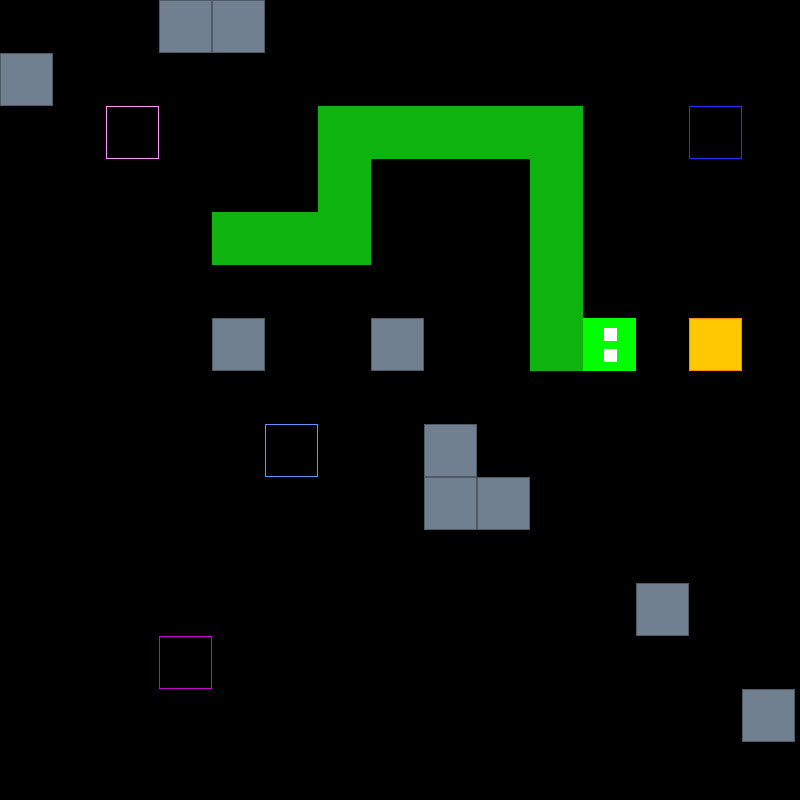
Preview
Installation
For Windows 64-Bit a pre-compiled release, that also includes the required .dll files and assets is available:
- Download the zip file from Releases (e.g. "Snake-1.0-win64.zip")
- Extract zip file
- Navigate to the folder and run
Snake.exeOn other Systems you currently have to compile from source (see next sections)
Compilation
Linux
Install tools and SDL2
pacman -S sdl2 sdl2_ttf
pacman -S cmake gcc
Build
mkdir build
cd build
cmake ..
make
Windows
Download SDL
- Download
SDL2-devel-2.28.5-VC.zipfrom github/libsdl-org - Unzip the file and rename the folder to
SDL2(avoid unnecessary subfolder) - Place it in the root folder of this repository.
Download SDL_ttf
- Download
SDL2_ttf-devel-2.20.2-VC.zipfrom github/libsdl-org - Unzip the file and rename the folder to
SDL2_ttf(avoid unnecessary subfolder) - Place it in the root folder of this repository.
Install compiler (if not available already)
- download mingw:
- visit https://altushost-swe.dl.sourceforge.net/project/mingw-w64/
and download
x86_64-8.1.0-release-posix-seh-rt.7z
- visit https://altushost-swe.dl.sourceforge.net/project/mingw-w64/
and download
- Extract the contents to
C:\MinGW - Add the path of
MinGW/binfolder to system environment variablePATH(so CMake finds it as 'Kit'):- Open 'Control Panel' -> 'Edit the system environment variables' -> 'PATH' -> Add entry
C:\MinGW\bin
- Open 'Control Panel' -> 'Edit the system environment variables' -> 'PATH' -> Add entry
Install CMake
- Download and install CMake from https://cmake.org/
Compile
See VS Code section
VS Code instructions
Required extensions
Setup
- With CmakeTools installed open the project folder in VS Code
- open cmd-prompt with
CTRL + SHIFT + Pruncmake.build- select kit (gcc or installed minGW compiler)
Alternatively use cmake related buttons in bottom toolbar (CMake: Kit, Build, [all]...)
- select kit (gcc or installed minGW compiler)
Compile
- Use buttons in bottom toolbar (CMake: ... Build [BUG-BUTTON] [PLAY-BUTTON] ... )
You can also use: ctrl-F5run without debuggershift-F5run with debugger- NOTE: Pressing
F5only, currently does not work with CMake in VS-Code?